ZOA Demo Suite
Generate scenes that demonstrate individual systems and their interactions.
The Demo package provides a catalogue of scene generators. Movement Sandbox, Inventory & Equipment, Weapon Combat Range, AI Encounters, and Full Showcase introduce the main systems. Additional scenes explore multiplayer, alternative views, and focused gameplay features.
Open the Content Browser’s Demo Scenes tab to generate and open a scene. Generators create the environment and supporting setup from the available content; player spawn requests reference prefabs. Treat generated scenes as development examples and inspect their prerequisites and runtime behavior before adapting them to your game.
Tooling
Editor tools
Demo Suite (Workbench)
Workbench > Environment > Demo Suite
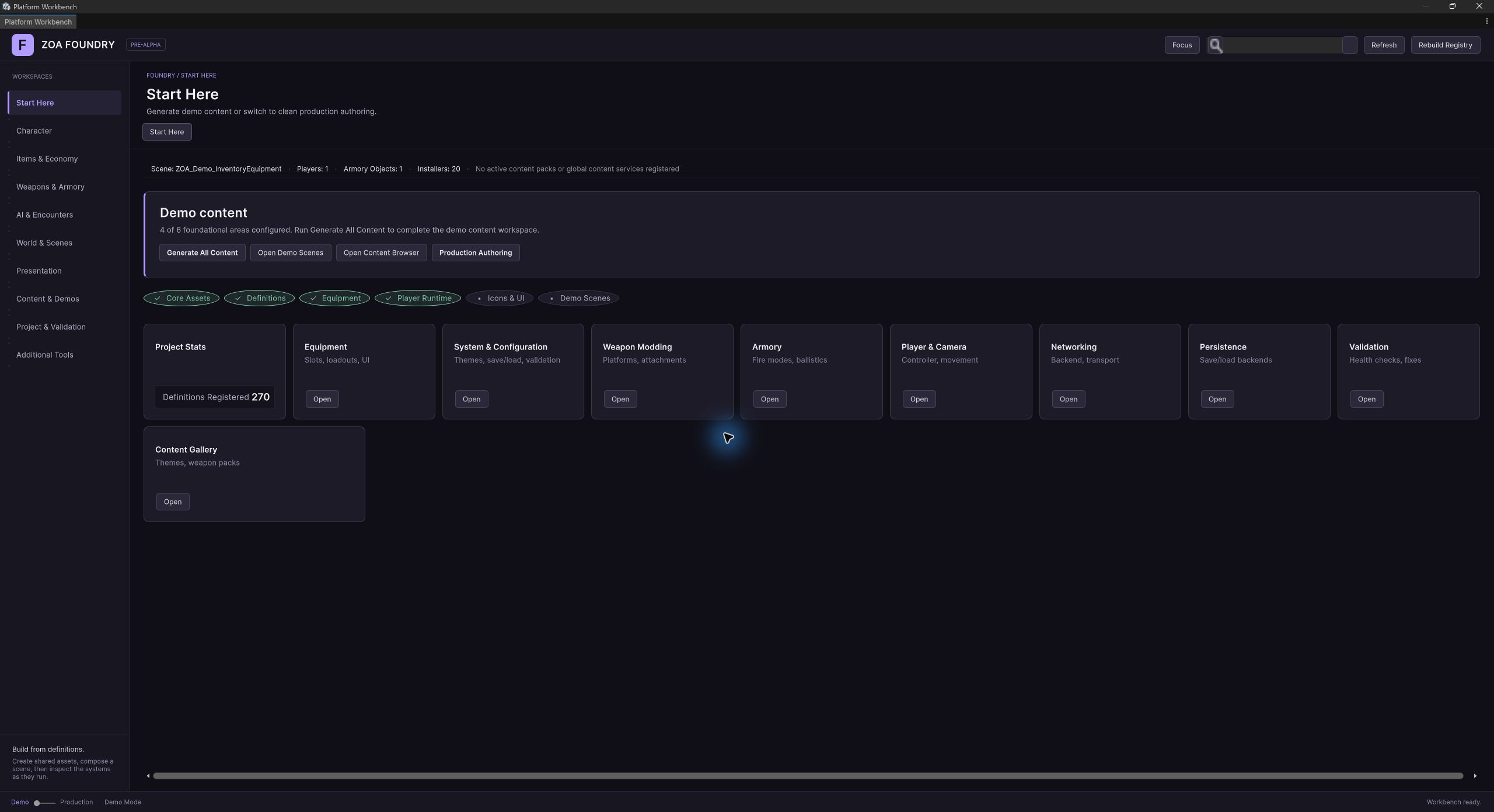
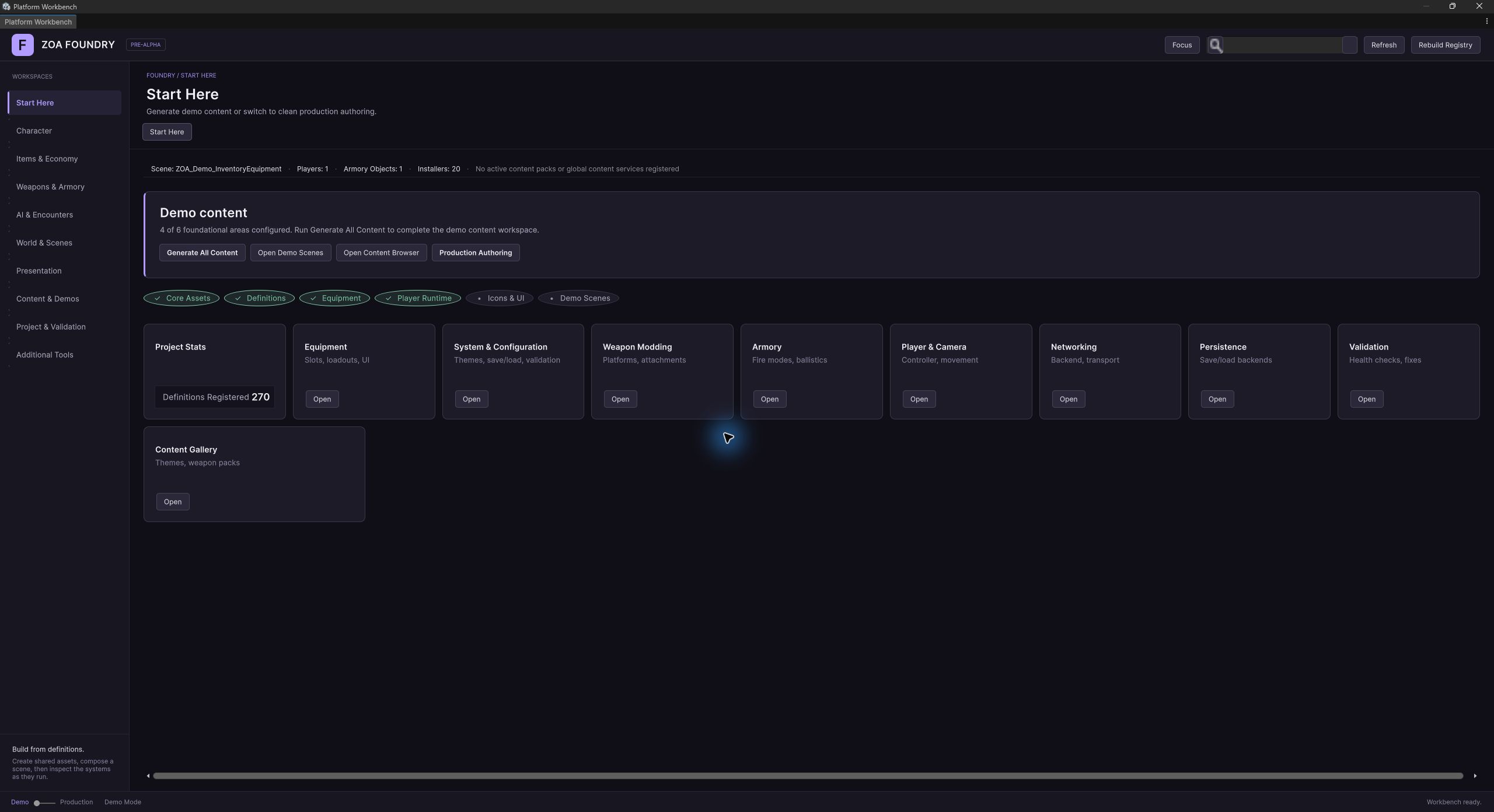
The demo page inside the Workbench shell: scene picker, quick actions, and per-HUD diagnostics toggles persisted in EditorPrefs so every generation path honours the same choice.
Open Demo Scenes
Tools > ZOA > Advanced > Generate > Demos > Open Demo Scenes
Routes into the Content Browser's Demo Scenes tab, which lists both generator descriptors and Feature Set demo scenes and hosts generate, open, build-settings normalisation and removal.
Ensure All Prerequisites
Tools > ZOA > Advanced > Generate > Demos > Ensure All Prerequisites
Installs everything the generators depend on before you generate. Individual installers sit alongside it under Demos: Bootstrap Assets, Demo Catalog, Main Menu Scene, Full Showcase.
Regenerate Full Showcase
Tools > ZOA > Advanced > Generate > Demos > Regenerate Full Showcase
Fast single-scene iteration. Reuses existing prefabs, content packs and the GameDatabase instead of running the whole Generate All Content pipeline. Open Full Showcase sits next to it.
Bake Demo Thumbnails
Tools > ZOA > Advanced > Generate > Demos > Demo Catalog > Bake All Thumbnails (Procedural)
Generates the picker grid thumbnails. A From Scenes variant captures them from the real scenes instead of painting them procedurally.
Sci-Fi Strategy minigame
Tools > ZOA > Advanced > Generate > Minigames > Sci-Fi Strategy > Regenerate Ship Interior Demo
Builds the isometric turn-based ship-interior mission: breached biosphere, residential volumes, armory, manifold core, vacuum pressure, cover types, auto-doors and objective. Open Ship Interior Demo sits alongside.
Steam Platform showcase
Tools > ZOA > Advanced > Generate > Minigames > Steam Platform > Regenerate Run N Gun Showcase
Builds the networked run-and-gun arena exercising Steam achievements, leaderboards, stats, rich presence, inventory, cloud files, overlay invites, DLC checks and Workshop wiring.
Build Player Prefab
Tools > ZOA > Advanced > Build > Characters > Player > Build Player Prefab
The demo player prefab wizard. Player Loadout Composer and Regenerate Bundled Player Prefabs (In Place) sit beside it for tuning and in-place repair.
Sniper Rifle Pack
Tools > ZOA > Advanced > Generate > Weapons > Sniper Rifle Pack (.338 Lapua AP)
Installs the bundled long-range weapon pack the AI and weapon showcases use for penetration and suppression demonstrations.
From the development project
Screenshots
Declared ZOA dependencies (29)
Referenced by ZOA manifests (1)
How it works
Concepts
Scene 1: Movement Sandbox
ZOA_Demo_MovementSandbox. A playground of platforms at varying heights, ramps, narrow walkways and interactable props, with no enemies and no weapons in it.
It exercises the Nucleon player controller and its movement modules, the Cinemachine camera rig, the Input System action map, and the interaction prompt path. The generator explicitly overrides PopulateAiSpawnZones to do nothing, because a tutorial scene with wandering AI is a worse tutorial.
The HUD profile is NonCombat: the Feature Set HUD controller plus compass, minimap and full map. Ballistics and weapon-debug HUDs are left out, since with no weapon in the scene they would render empty panels.
Scene 2: Inventory & Equipment
ZOA_Demo_InventoryEquipment. An L-shaped supply depot with several loot containers holding different contents, a workbench, and nested container items such as backpacks.
It exercises the grid inventory with real footprints, the twelve-slot equipment layout, container-in-container nesting, and the loot and pickup path through the interaction framework. The spawn anchor threads the canonical Sci-Fi weapon pack id, so the player arrives with a weapon and the weapon slot has something to hold.
Because the scene spawns weapons it installs the Combat HUD profile: the Feature Set HUD, the minimap stack, the weapon state debug HUD, and the combat feedback layer of floating damage numbers and directional hit indicators.
Scene 3: Weapon Assembly & Combat Range
ZOA_Demo_WeaponCombatRange. It builds a complete armory station: a weapon rack with a backdrop, an attachment table, an ammo bench and a crafting bench, then a firing range with targets at varying distances.
It exercises weapon modding and mount points, attachment swapping live at the bench, Armory ballistics, recoil, reload, and the full damage pipeline. Targets carry RangeTargetController, which is an IHealthDamageAuthority layered over the canonical HealthDamageReceiver. Producers build a DamageContext and call the receiver; the controller classifies the hit against an armour threshold using DamageContext.PenetrationPower, so a shot at or above the threshold penetrates for full damage and one below deflects. Penetrating and deflected hits are counted separately, so the range gives you numbers to tune against.
NavMesh is baked at generation time and serialises into the scene file, so click-to-move and AI navigation work the moment the scene opens with no runtime cost. This is the scene to use when tuning weapon pose, muzzle alignment and attachment sockets.
Scene 4: AI Encounters
ZOA_Demo_AiEncounters. By default the arena is procedural mountainous terrain built through the com.zoa.terrain pipeline: a large heightmap with vantage markers and cover networks scattered at chokepoints. Setting the static AiEncountersGenerator.UseTerrainGeneration to false falls back to the legacy flat arena of crate clusters, pillars and a central platform, which is preserved for tests and small-scope work.
It exercises behaviour trees, spawner zones, and wave escalation. Grunts patrol, elites flank, snipers hold vantage points, and loot drops between waves feed the upgrade loop back into inventory and equipment.
Waves are driven by DemoWaveBootstrap, an IGameplaySubsystem wrapping the gameplay-neutral WaveController and bridging it to the DemoSession phase machine. A scene with no authored WaveDefinition gets the default from BuildDefaultWaveDefinition, whose counts come from the constants on DemoConstants: four grunts in wave one, six grunts and an elite in wave two, and so on, with an eight second intermission between waves.
Scene 5: Full Showcase
ZOA_Demo_FullShowcase. The generator runs a six-stage procedural pipeline: build mountain terrain, run the enhancement passes for foliage, grass, water, a river spline, weather and a URP volume, place a five-building ProBuilder village near the suggested spawn, harvest scatter anchors into enemy and loot spawn containers, drop a boss arena building at the far edge, then bake NavMesh over the whole scene.
Play is directed by FullShowcasePhaseMachine, an eight-phase sequence: drop in, scavenge, hold Alpha, visit the vendor, hold Bravo, hold Charlie, boss, extract, then a terminal end screen that Replay returns to phase one. The machine advances by subscribing to ObjectiveTriggerBus rather than polling: six ItemCollected events end the scavenge phase, sixty seconds inside a hold zone ends a hold phase, an EnemyKilled with the boss archetype ends the boss phase. PhaseChanged is a static event, so the phase HUD and the music director subscribe without holding a reference to the machine.
It combines everything: the wave and boss loop, loot and vendor economy, objectives and missions, progression, save and load, localisation, and the guided tour. The eight phase ids match the objective asset slugs emitted by BundledFullShowcaseInstaller, and the mission graph aggregates them so objective progress shows in the HUD.
Every scene comes from a generator
DemoSceneGeneratorBase owns everything common: creating the scene, building the DemoGameManager root with its GameplayDirector and DemoSession pair, adding the environment root with camera, lighting and ground, dropping the diagnostics HUD host, and saving. A subclass supplies a SceneId, a SceneName, and a PopulateScene body, and optionally overrides PopulateAiSpawnZones or ResolveDefaultAiSpawnOrigin.
The generated structure is a contract the scenario tests bind to. The root GameObject is named DemoGameManager, it carries a GameplayDirector and a DemoSession, its children implement IGameplaySubsystem, and the standard demo tags are Player, DemoEnemy, DemoLootBox, DemoSpawnPoint and DemoArena. Changing those breaks scenario tests silently at scene-load time rather than at compile time, so the base class documents them explicitly.
DemoSceneGeneratorCatalog is the single registry mapping a DemoSceneId to a display name, a stable template id such as demo.full-showcase or showcase.movement, a legacy type name, and a factory. Menu items, the Workbench module and external provisioning all go through it, so they cannot drift apart. TryCreateBySelector accepts an enum name, a template id or a legacy type name, so an external caller can ask for a scene by string without referencing the demo assembly.
Pattern B spawning
A generated scene never contains a composed player rig. It contains a spawn anchor carrying a PlayerSpawnRequest from com.zoa.gameplay and a SpawnPointMarker, and ZOAPlayerSpawnSceneInstaller instantiates the rig from that request at scene load.
The request names the local prefab, optionally a remote prefab for networked scenes, an optional weapon pack id for auto-equip at spawn, and the session mode. Movement Sandbox leaves the pack id empty because it has no combat; Inventory & Equipment threads the Sci-Fi pack so the equipment slots have something to hold.
The old PlayerSpawnAnchor component from the retired persistent-scene design is a comment-only tombstone. The name survives as a GameObject naming convention that tests still look for; the component does not.
The demo suite plugs into the rest of the tooling
DemoWorkbenchModule contributes the Demo Suite page to the Workbench under the workflow.environment hub, with a scene picker and per-HUD diagnostics toggles persisted in EditorPrefs.
DemoScenesContentBrowserProvider registers a Demo Scenes tab into the Content Browser, listing both the generator descriptors and any Feature Set demo scenes contributed by content packs, so generated and content-driven scenes appear in one catalogue.
DemoWorkbenchSceneProvisioningProvider registers into the Workbench scene provisioning registry at priority 100, which is how the Workbench's Create Game Scene action produces a real demo scene rather than a bare scaffold when the demo package is installed.
The guided tour runs on the objectives stack
The tour used to be a bespoke engine with its own step model, timer and completion state machine. It is now a tombstone. Guided tours run on the first-class com.zoa.objectives stack instead.
DemoTourCatalog holds each scene's tour as an ordered list of IObjectiveStep values defined in code. DemoTourBootstrap is thin glue: an IGameplaySubsystem that runs those steps through ObjectiveSequenceRunner with ObjectiveTriggerArmer doing the trigger arming, and renders the active step's text into DemoHud. All sequencing, progress and completion flow through IObjectiveTracker, so there is no parallel tour state to drift.
Toggle the tour at runtime with DemoSession.SetGuidedTourMode, or subscribe to OnGuidedTourChanged to react to it.
HUD installation is idempotent and profile-driven
DemoSceneHudInstaller.Install takes a DemoSceneHudProfile: Custom for a scene supplying its own chrome such as the MOBA generators, Combat for the full FPS stack, or NonCombat for the UI and movement scenes.
Every EnsureXxx helper scans the manager's children for an existing host by well-known name, reuses it, and adds only what is missing, so re-running a generator never piles up duplicate HUDs. The HUDs then self-bind at runtime by resolving IPlayerContext, waiting on IWeaponLoadoutService.LoadoutChanged, or claiming a slot from ZOAHudSlotRegistry. The installer's only job is making sure the GameObjects exist before the rig spawns.
The crosshair is not scene-installed: it is rig-owned, baked into the player prefab and ensured at spawn, so installing it into the scene as well would produce two.
Setup
Workflow
- 01
Install the package
Add com.zoa.demo through the Package Manager, or reference it as a local package. It pulls in most of the stack, since the suite exercises all of it.
- 02
Ensure prerequisites
Tools > ZOA > Advanced > Generate > Demos > Ensure All Prerequisites installs the bundled assets the generators expect: AI agents and spawners, bootstrap assets, the demo catalogue, the main menu scene and the Full Showcase asset graph. Running a generator without them produces a scene with holes in it.
- 03
Generate the scenes
Tools > ZOA > Advanced > Generate > Demos > Open Demo Scenes routes into the Content Browser's Demo Scenes tab, which is the current home for generating, opening and removing scenes. Generated scenes land under Assets/ZOA/Generated/Demo/Scenes.
- 04
Play the ladder in order
Movement Sandbox, then Inventory & Equipment, then Weapon Combat Range, then AI Encounters, then Full Showcase. Each adds a layer, so a system that misbehaves is usually broken in the earliest scene that includes it, which is the fastest place to debug it.
- 05
Iterate on one scene
Regenerating a single scene, for example Tools > ZOA > Advanced > Generate > Demos > Regenerate Full Showcase, reuses the existing prefabs, content packs and GameDatabase. Run the full Generate All Content pipeline only when shared content changed: Feature Sets, content packs, the player prefab, or definitions.
- 06
Turn on the guided tour
Select the DemoGameManager root, find the DemoSession component, and enable guided tour mode. The tour steps are per-scene data in DemoTourCatalog and run through the objectives stack, so tour progress shows up as real objective progress.
- 07
Curate the diagnostics HUDs
The Workbench Demo Suite module exposes each diagnostics HUD as a toggle backed by EditorPrefs, so every generation entry point honours the same choice. A scripted caller can override DiagnosticsConfiguration on the generator before calling Generate without touching the prefs.
- 08
Remove it before you ship
Delete the package. Nothing in the other com.zoa.* packages depends on it. Generated scene content lives under Assets/ZOA/Generated/Demo and can be removed alongside.
Reference
Key types
DemoSceneId
enum
Every scene the suite can generate. The first five values are the tiered ladder; 5 through 9 are multiplayer and camera variants; 10 through 20 are the focused showcases; 21 and 22 are the minigames.
- MovementSandbox, InventoryEquipment, WeaponCombatRange, AiEncounters, FullShowcase
- ThirdPersonSplitScreen, MultiplayerSandbox, MobaArena, MobaArenaIsometric, ThirdPersonAction
- MovementShowcase, WeaponShowcase, InventoryShowcase, AIShowcase, ObjectivesShowcase
- EconomyShowcase, ProgressionShowcase, AudioShowcase, LocalizationShowcase, SaveLoadShowcase, GameModeShowcase
- SciFiStrategyShipInterior, SteamPlatformShowcase
DemoSceneInfo
class
Picker metadata for one scene: display name, description, system tags, estimated minutes and an icon glyph. The static All array is the authored list.
- DemoSceneId Id
- string DisplayName, Description
- string[] SystemTags
- int EstimatedMinutes
- string IconUnicode
- static readonly DemoSceneInfo[] All
DemoSceneGeneratorBase
class
Base for every scene generator. Owns scene creation, the DemoGameManager hierarchy, environment essentials and saving; a subclass supplies PopulateScene.
- protected abstract DemoSceneId SceneId { get; }
- protected abstract string SceneName { get; }
- protected string ScenePath { get; }
- DemoDiagnosticsHud.Configuration DiagnosticsConfiguration { get; set; }
- void Generate(bool openAfter = true)
- void Generate(SceneSeedDefinition seed, bool openAfter = true)
- protected abstract void PopulateScene(Scene scene, GameObject gameManager, GameObject environment)
- protected virtual void PopulateAiSpawnZones(GameObject environment)
- protected virtual Vector3 ResolveDefaultAiSpawnOrigin(GameObject environment)
DemoSceneGeneratorCatalog
class
The one registry mapping scene ids to generators. Menu items, the Workbench module and external provisioning all resolve through it.
- static IReadOnlyList<DemoSceneGeneratorDescriptor> Ordered { get; }
- static DemoSceneGeneratorBase Create(DemoSceneId id)
- static bool TryCreateBySelector(string selector, out DemoSceneGeneratorBase generator)
- const string MovementSandboxTemplateId = "demo.movement-sandbox"
- const string FullShowcaseTemplateId = "demo.full-showcase"
- const string MovementShowcaseTemplateId = "showcase.movement"
DemoSceneGeneratorDescriptor
struct
One catalogue entry: scene id, display name, stable template id, the legacy generator type name, and the factory that builds the generator.
- DemoSceneId SceneId { get; }
- string DisplayName { get; }
- string TemplateId { get; }
- string LegacyGeneratorTypeName { get; }
- Func<DemoSceneGeneratorBase> Factory { get; }
DemoSuiteMenuItems
class
The public command surface for generating and opening scenes. GenerateAllScenesBatch is the non-interactive entry point Startup Health calls, skipping the modal confirmation the caller already owns.
- static void GenerateAllScenes()
- static void GenerateAllScenesBatch()
- static string[] ResolveAllGeneratedScenePaths()
- static void OpenDemoScenesInContentBrowser()
DemoSession
component
The per-scene phase machine on the DemoGameManager root, and an IGameplaySubsystem. Owns the current phase, wave number and spawn point references, and the guided-tour toggle.
- DemoSceneId SceneId { get; }
- bool IsGuidedTour { get; }
- DemoGamePhase Phase { get; }
- int CurrentWave { get; }
- Transform PlayerSpawn { get; }
- Transform[] EnemySpawnPoints { get; }
- Transform[] LootSpawnPoints { get; }
- IGameplayDirector Director { get; }
- void TransitionTo(DemoGamePhase newPhase)
- void StartNextWave()
- void SetGuidedTourMode(bool enabled)
- event Action<DemoGamePhase> OnPhaseChanged
- event Action<int> OnWaveStarted
- event Action<int> OnWaveCleared
- event Action<bool> OnGuidedTourChanged
DemoWaveBootstrap
component
Bridges the gameplay-neutral WaveController to the demo phase machine. Requires a WaveController, and installs a default WaveDefinition for scenes that have not authored one.
- WaveController Controller { get; }
- int AliveEnemies { get; }
- static WaveDefinition BuildDefaultWaveDefinition()
- bool OnInitialize(IGameplayDirector director)
FullShowcasePhaseMachine
component
The eight-phase director for the Full Showcase. Advances off ObjectiveTriggerBus events, publishes PhaseChanged as a static event, and round-trips through save with CaptureState and RestoreState.
- FullShowcasePhase Phase { get; }
- int ScavengedSoFar { get; }
- float HoldElapsed { get; }
- float HoldSeconds { get; }
- static event Action<FullShowcasePhase> PhaseChanged
- void SignalDropInComplete()
- void Reset()
- void Replay()
- SaveState CaptureState()
- void RestoreState(SaveState state)
FullShowcasePhase
enum
Idle, DropIn, Scavenge, HoldAlpha, VendorVisit, HoldBravo, HoldCharlie, Boss, Extract, EndScreen. The numeric values mirror the order of the bundled objective assets.
DemoGamePhase
enum
Playing, WaveIntermission, BossEncounter, Victory, Defeat. Gameplay state within a session, layered on top of the director's own GameplayPhase lifecycle.
DemoTourBootstrap
component
The guided tour as glue rather than an engine. Runs the scene's DemoTourCatalog steps through ObjectiveSequenceRunner and renders the active step into DemoHud.
DemoHud
component
Demo-only chrome: scene badge, phase and intermission state, tour objective text, phase banners and the view selector. A UI Toolkit overlay loaded from Resources, not a prefab.
- void SetObjective(string text, int step, int total)
- void ClearObjective()
- void ShowBanner(string text)
DemoDiagnosticsHud
component
Per-HUD opt-in installer for the debug and help overlays. Idempotent: it reuses an existing HUD child found by name rather than stamping a duplicate on regeneration.
- void SetDiagnosticsActive(bool active)
- struct Configuration { bool AddControlsOverlay; bool ControlsOverlayShowAtStart; bool AddPlayerDebugHud; bool AddKeyBindingsViewer; bool AddEquipmentDebugHud; bool AddUiInputDiagnosticsOverlay; bool AddAiSceneDebugHud; }
RangeTargetController
component
The practice-range target. An IHealthDamageAuthority over HealthDamageReceiver that classifies each hit against an armour threshold and drives the flip-down and respawn cycle.
- float CurrentHealth { get; }
- float MaxHealth { get; }
- bool IsDown { get; }
- int PenetratingHitCount { get; }
- int DeflectedHitCount { get; }
- float TotalDamageDealt { get; }
- bool TryHandleDamage(HealthDamageReceiver receiver, in DamageContext ctx, out float handledAmount)
IDemoCatalogService
service
Read-only access to the demo catalogue, resolved from FoundryServiceRegistry by the picker. Swap in your own implementation to drive the picker from a project catalogue.
- IReadOnlyList<DemoCatalogEntry> All { get; }
- DemoCatalogEntry FindById(string id)
DemoCatalogEntry
class
One row in the picker grid. SceneId is the scene name as registered in Build Settings, with no folder prefix and no .unity extension.
- string Id { get; }
- string DisplayName { get; }
- string Description { get; }
- string SceneId { get; }
- Texture2D Thumbnail { get; }
- string Category { get; }
- int Order { get; }
DemoSceneHudInstaller
class
Idempotent HUD install at scene-author time. Install takes a profile; the individual Ensure helpers are there for the unusual case of one extra HUD on top of a profile.
- static void Install(GameObject gameManager, GameObject environment, DemoSceneHudProfile profile)
- static bool EnsureFeatureSetHud(GameObject gameManager)
- static void EnsureMinimapStack(GameObject gameManager, bool includeOverlayWidgets = true)
- static void EnsureCombatFeedbackLayer(GameObject gameManager)
- static void EnsureWeaponStateDebugHud(GameObject gameManager)
- static void EnsureKillFeedHud(GameObject gameManager)
DemoSceneHudProfile
enum
Custom, Combat or NonCombat. One choice per scene rather than a flag set, because the three profiles map onto three coherent gameplay categories.
DemoConstants
class
Shared paths, tags and tuning. Asset paths delegate to ZoaAssetPaths so every package writes to the same canonical layout.
- static readonly string ScenesFolder, DefinitionsFolder, PrefabsFolder, MaterialsFolder, AiFolder
- const string PlayerTag = "Player"
- const string EnemyTag = "DemoEnemy"
- const string LootBoxTag = "DemoLootBox"
- const string SpawnPointTag = "DemoSpawnPoint"
- const string ArenaTag = "DemoArena"
- const float ArenaRadius, SpawnRingRadius, LootDropRadius, WaveIntermissionSeconds, BossSpawnDelay
- const int MaxConcurrentEnemies
Reference
Authoring assets
DemoCatalogDefinition
asset
The authored catalogue behind the main-menu picker grid, bundled as a single asset. Assets > Create > ZOA > Demo > Demo Catalog.
- IReadOnlyList<DemoCatalogEntry> Entries { get; }
- DemoCatalogEntry FindById(string id)
- IEnumerable<KeyValuePair<string, List<DemoCatalogEntry>>> EnumerateByCategory()
Usage
Examples
using ZOA.Demo.Core;
using ZOA.Demo.Editor.Generators;

// By enum, when you have a compile-time reference.
var generator = DemoSceneGeneratorCatalog.Create(DemoSceneId.WeaponCombatRange);
generator?.Generate(openAfter: true);

// By selector, when you do not. The selector accepts an enum name,
// a template id, or a legacy generator type name.
if (DemoSceneGeneratorCatalog.TryCreateBySelector("showcase.ai", out var showcase))
    showcase.Generate(openAfter: false);

// Every generated scene path, in catalog order. External verification
// code uses this to avoid an asmdef cycle back into the demo assembly.
foreach (var path in DemoSuiteMenuItems.ResolveAllGeneratedScenePaths())
UnityEngine.Debug.Log(path);#if UNITY_EDITOR
using UnityEngine;
using UnityEngine.SceneManagement;
using ZOA.Demo.Core;
using ZOA.Demo.Editor.Generators;
using ZOA.Demo.Editor.HudInstall;
using ZOA.Demo.Systems;
public sealed class SiegeArenaGenerator : DemoSceneGeneratorBase
{
protected override DemoSceneId SceneId => DemoSceneId.AiEncounters;
protected override string SceneName => "ZOA_Demo_SiegeArena";
// The base class drops a default three-zone AI ring around the player.
// Override to nothing when the scene authors its own spawn pipeline.
protected override void PopulateAiSpawnZones(GameObject environment) { }
protected override void PopulateScene(Scene scene, GameObject gameManager, GameObject environment)
{
var session = gameManager.GetComponent<DemoSession>();
// Pattern B: the scene carries spawn intent, not a baked rig.
var playerSpawn = CreatePlayerSpawnAnchor(environment.transform, new Vector3(0f, 0f, -12f));
WireSpawnPoints(session, playerSpawn, null, null);
// The scene spawns weapons and enemies, so it wants the full stack.
DemoSceneHudInstaller.Install(gameManager, environment, DemoSceneHudProfile.Combat);
var walls = new GameObject("Walls");
walls.transform.SetParent(environment.transform);
// ... author the rest of the environment ...
}
}
#endifusing UnityEngine;
using ZOA.Demo.FullShowcase;
public sealed class SiegeAmbienceDirector : MonoBehaviour
{
// PhaseChanged is static, so listeners never need a reference to the
// machine and survive it being rebuilt between replays.
private void OnEnable() => FullShowcasePhaseMachine.PhaseChanged += OnPhaseChanged;
private void OnDisable() => FullShowcasePhaseMachine.PhaseChanged -= OnPhaseChanged;
private void OnPhaseChanged(FullShowcasePhase phase)
{
switch (phase)
{
case FullShowcasePhase.HoldAlpha:
case FullShowcasePhase.HoldBravo:
case FullShowcasePhase.HoldCharlie:
RaiseTension();
break;
case FullShowcasePhase.Boss:
RaiseTension(boss: true);
break;
default:
Settle();
break;
}
}
private void RaiseTension(bool boss = false) { }
private void Settle() { }
}using System;
using UnityEngine;
using ZOA.Demo.Systems;
public sealed class WaveScoreboard : MonoBehaviour
{
[SerializeField] private DemoSession session;
private void OnEnable()
{
session.OnWaveStarted += OnWaveStarted;
session.OnWaveCleared += OnWaveCleared;
session.OnPhaseChanged += OnPhaseChanged;
}
private void OnDisable()
{
session.OnWaveStarted -= OnWaveStarted;
session.OnWaveCleared -= OnWaveCleared;
session.OnPhaseChanged -= OnPhaseChanged;
}
private void OnWaveStarted(int wave) => Debug.Log($"Wave {wave} incoming.");
private void OnWaveCleared(int wave)
{
Debug.Log($"Wave {wave} cleared. {session.CurrentWave} so far.");
// TransitionTo is a no-op when the phase is unchanged, so calling
// it defensively from a listener is safe.
session.TransitionTo(DemoGamePhase.WaveIntermission);
}
private void OnPhaseChanged(DemoGamePhase phase) => Debug.Log($"Phase: {phase}");
}Integration
Behavior to account for
See also