ZOA Content
Browse content packs, assemble Content Sets, and author HUD layouts.
Use the Content Browser to find packs, install samples, and generate demos. A Content Set groups related packs through a FeatureSetDefinition, with optional references for areas such as weapons, input, audio, and UI.
The browser shows what a set contains and what is installed. For its interface, open Feature Set HUD Composer to work with layout profiles and HUD component definitions. Check the set’s status for missing content before using it in a scene.
Tooling
Editor tools
Content Browser
Tools > ZOA > Advanced > Generate > Content > Open Content Browser
The two-pane Feature Set browser: card grid on the left, per-dimension detail and install buttons on the right, plus any tabs other packages have registered. Also embedded in the Workbench Content module.
Import All Content (Bulk)
Tools > ZOA > Advanced > Generate > Content > Import All Content (Bulk)
Imports every ZOA-shipped Package Manager sample the browser needs, refreshes the asset database, and rewires the Feature Set action lists. Idempotent and safe to re-run.
Generate All Content
Tools > ZOA > Advanced > Generate > Content > Generate All Content
The full pipeline behind Startup Health: import samples, rewire actions, build foundation assets, apply every Feature Set, regenerate demo scenes and the demo catalogue, then verify generated scenes for missing script references.
Startup Health
Tools > ZOA > Advanced > Validate > Startup Health > Open
The default startup dashboard. Runs a non-destructive scan of content and project readiness and offers install and fix actions for what is missing. Toggle its auto-open under Advanced > Maintain > Startup Health.
Content Pack Wizard
Window > ZOA > Content Pack Wizard
Four-step manifest authoring: Identity, Assets, Dependencies, Review. Also available as a capability inside the Workbench Content module.
Feature Set HUD Composer
Tools > ZOA > Advanced > Build > UI > Feature Set HUD Composer
Visual HUD authoring against the same panel and binder contracts the runtime uses. Choose panels and drag their normalised layout regions with snapping.
Wire Flagship Feature Set Actions
Tools > ZOA > Advanced > Build > Content > Wire Flagship Feature Set Actions
Populates the [SerializeReference] action lists on the shipped content pack shells so an imported Feature Set can actually install. Force Rewire All under Advanced > Maintain > Content clears and rebuilds them.
Force Reimport All Samples
Tools > ZOA > Advanced > Maintain > Content > Force Reimport All Samples (Repair Corruption)
Re-pulls every sample from scratch when an import has gone wrong. Reset Auto-Import Flag and Reset First-Launch Flag sit alongside it for re-testing the first-run path.
From the development project
Screenshots
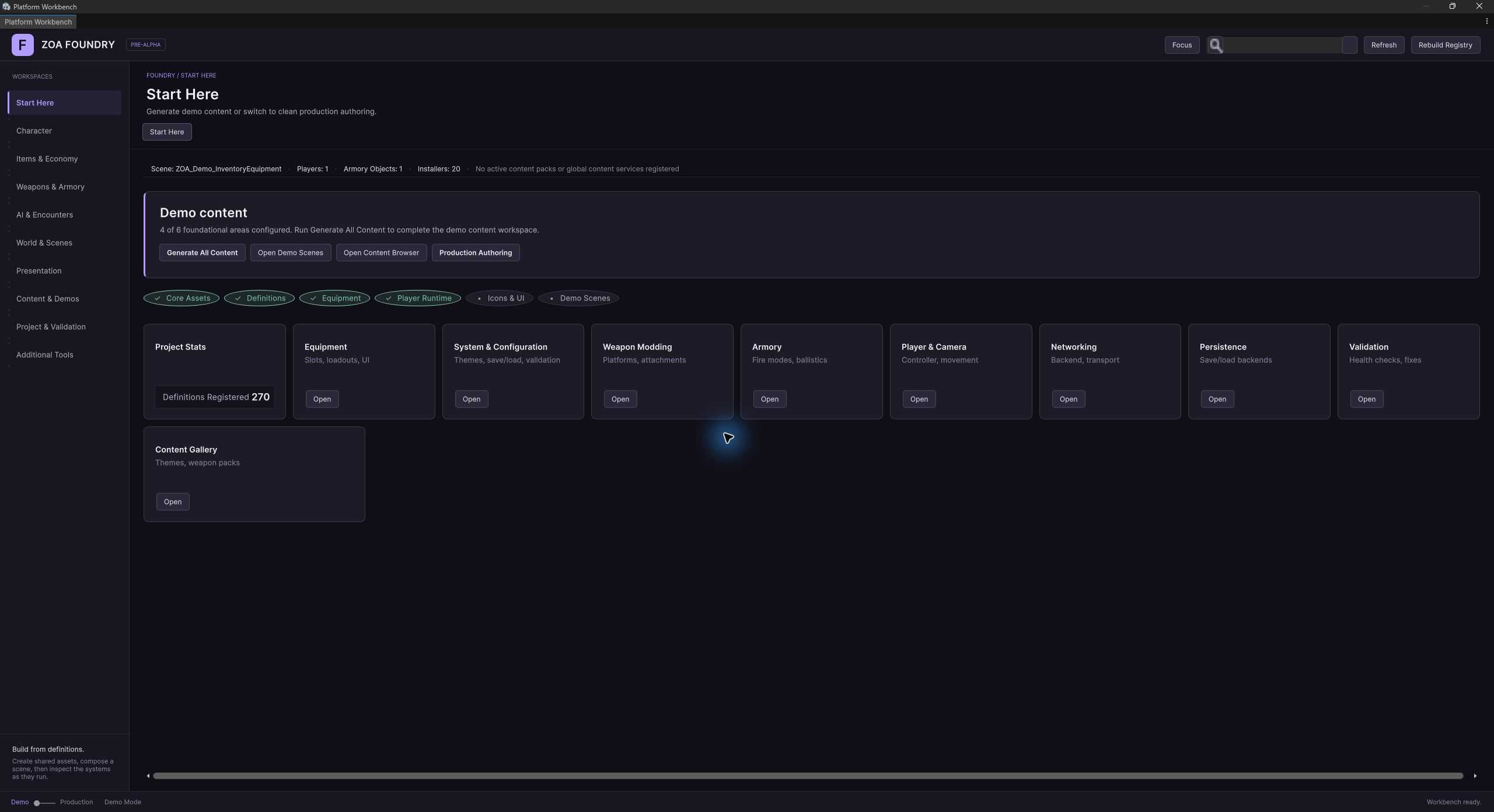
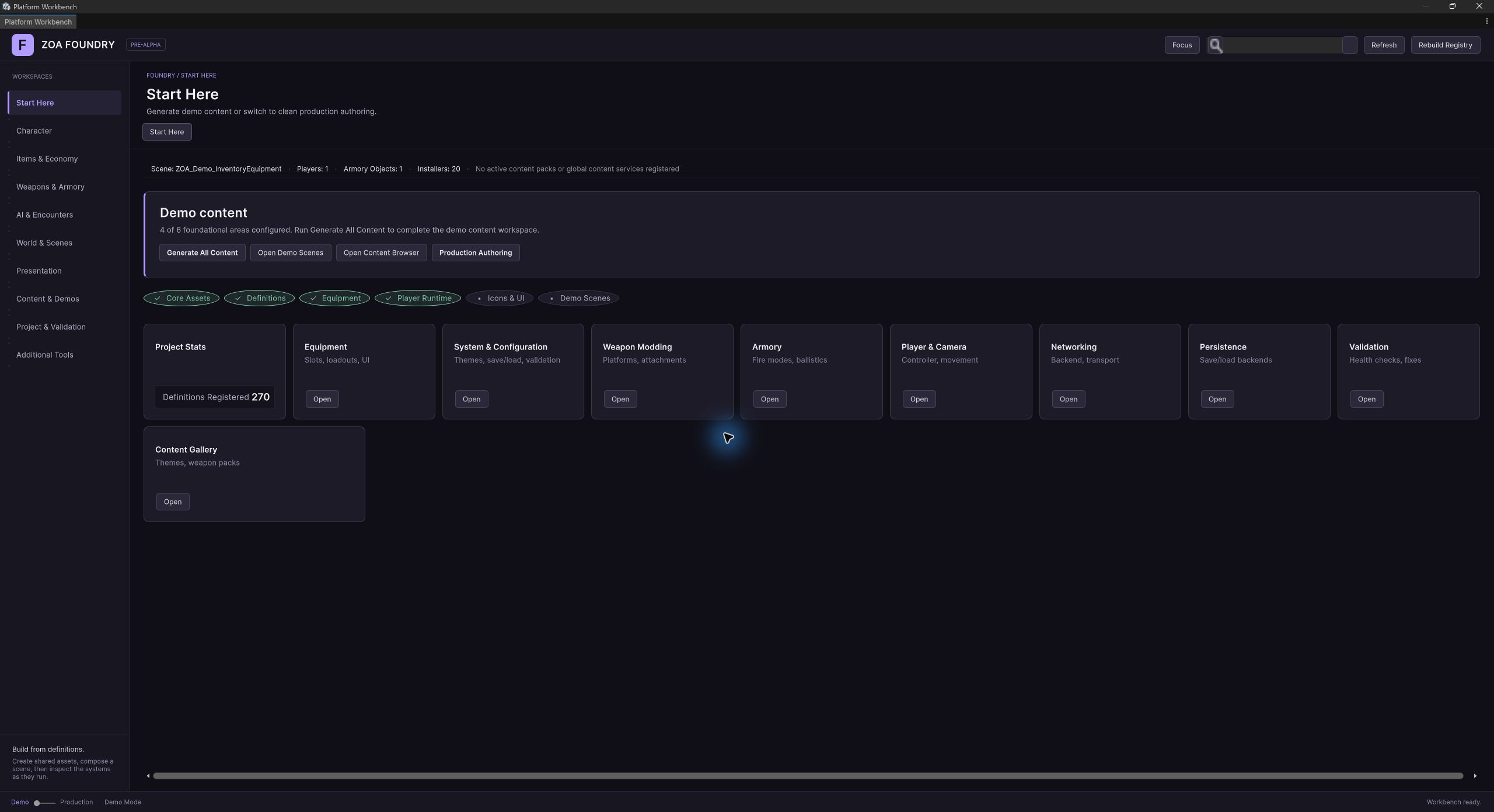
Declared ZOA dependencies (20)
Referenced by ZOA manifests (1)
How it works
Concepts
The pack manifest
ContentPackManifest is a plain serialisable class in ZOA.Content.Core, free of any Unity dependency so it round-trips to JSON. It carries an Id, DisplayName, Version defaulting to 0.1.0, Author, Description, a list of ContentPackId dependencies, and a list of ContentAssetEntry values.
The manifest is also the query surface. GetAssetsByType filters by ContentAssetType (Definition, Prefab, Material, Texture, Audio, Animation, Scene, Data, Other) and GetAssetsByTag filters by a tag string, so a consumer can ask a pack for its prefabs or for everything tagged sniper without knowing how the pack was authored. AddDependency refuses empty ids and silently skips duplicates, and AddAsset refuses an entry with an empty AssetId, so a manifest cannot accumulate junk through the normal API.
ContentPackId and ContentAssetId are readonly structs that normalise to trimmed lowercase on construction and compare with OrdinalIgnoreCase. Both define implicit conversions in each direction, so a string literal is a valid id at any call site and an id can be used wherever a string is expected. Both expose IsEmpty and a TryParse that returns false for null or whitespace.
One authority on key shape
AddressableConvention is the single authority on key shape. A valid key matches ^[a-z0-9_-]+(/[a-z0-9_-]+)*$: lowercase letters, digits, underscores and hyphens, separated by forward slashes. ValidateKey is the check; a key with an uppercase letter, a space or a dot fails.
SuggestKey builds pack_id/asset_id, and SuggestKeyWithGroup builds pack_id/group/asset_id when you want a category segment such as materials or prefabs. Both normalise every segment: lowercase, spaces and dots become underscores, anything not alphanumeric or underscore or hyphen is dropped, runs of underscores collapse, and leading and trailing underscores are trimmed. com.zoa.WeaponPack SciFi therefore normalises to com_zoa_weaponpack_scifi instead of being rejected.
GroupNameFor returns the Addressables group name for a pack, which is just the normalised pack id, falling back to default for an empty id. One group per pack is the convention the rest of the pipeline assumes.
Dependencies and validation
ContentDependencyResolver builds a ContentDependencyNode per asset in a manifest. A node holds its dependency list, a MissingDependencies list, and an IsBroken flag that flips true the moment a dependency is marked missing and back to false when the last missing entry is resolved. FindBrokenReferences filters a graph down to the nodes that will not load.
Validation returns a ContentValidationResult rather than throwing. Adding an Error issue flips IsValid to false automatically, so a caller cannot forget to check. Issues carry a machine-readable Code alongside the human message, plus the AssetId they relate to, which may be empty for pack-level problems. ErrorCount, WarningCount and InfoCount, and the matching GetErrors, GetWarnings and GetInfo, are there so a UI can group without re-filtering by hand.
IContentValidator is a contract with no shipped default implementation. Provide one when you want project-specific rules; the model types it returns are complete.
Content packs as assets, actions as data
ContentPackDefinition is the authoring shape: a DefinitionBase ScriptableObject wrapping a ContentPackManifest, plus cover artwork, a tagline, and a [SerializeReference] list of IContentPackAction. Create one from Assets > Create > ZOA > Content > Content Pack Definition.
An action is data, not a scene object. Each domain ships its own implementations in its own editor assembly, and the wizard discovers them through TypeCache and persists them polymorphically inside the Feature Set asset. The contract is three properties and one method: DisplayName, Description, IsInstalled for a cheap existence check, and TryApply(out string reason). Implementations must be [Serializable], must be idempotent so a re-apply is a fast no-op, and must be failure-tolerant, because the orchestrator catches an exception from one action and carries on with the rest.
The action list is guarded by #if UNITY_EDITOR and the Actions property returns an empty array in a player build. The guard is a correctness fix: the action types do not exist at runtime, so serialising them into a runtime ScriptableObject changes the asset's layout and makes every player start log a serialization-layout warning.
Feature Sets: twelve dimensions, all optional
FeatureSetDefinition names a ContentPackDefinition per dimension: UiTheme, Input, Weapons, AiRoster, Audio, Environment, GenreBundle, Items, LootTables, Recipes, Loadout, DemoScene. TotalDimensionSlots is 12 and CoveredDimensionCount counts the non-null ones, and the coverage badge on a browser card reads from that count.
EnumerateDimensions yields the non-null packs in their declared order. An empty dimension provides no pack to apply; inspect the current project content before assuming a usable default.
A Feature Set also stores its ThemeKey, cover image, descriptive text, HUD style, and dependencies on other sets. Inspect those dependencies and the apply results when composing a set.
Apply is idempotent by construction
ContentPackInstaller.ApplyFeatureSet walks the dimensions, invokes every action on every pack, and returns a List<ContentPackInstallResult>. Each result names the pack and action and records Success, WasAlreadyInstalled, and a Reason on failure. The browser reads that distinction to report an accurate per-row status after apply, instead of claiming work it skipped.
Most install actions route through ContentDeployerUtil, which copies source assets into a canonical destination under Assets/ZOA/Content/<dimension>/<theme>/. It skips anything already at its destination and skips anything the author has since edited in place, so re-running Apply preserves local changes.
Copying an authored asset can duplicate its serialized DefinitionBase ID. ContentDeployerUtil regenerates that definition ID on the deployed copy to avoid duplicate-definition findings. Unity asset GUIDs and Foundry definition IDs are separate identities.
The browser is extensible from other packages
ContentPackBrowserWindow is a two-pane UI Toolkit window: a grid of Feature Set cards on the left, a per-dimension detail panel with install buttons on the right. Cards without authored cover art get a procedural 16:9 cover painted from a hash of the theme key, so a freshly imported set is never a blank tile.
Other packages contribute their own tabs. IContentBrowserTabProvider declares a TabId, display and pane labels, an empty-state message, a SortOrder, an ItemCount, a Refresh, and BuildGrid and BuildDetail methods that render into the browser's shared themed chrome. Providers register into ContentBrowserTabRegistry from an [InitializeOnLoad] initialiser, and registering the same TabId twice replaces the earlier provider rather than duplicating it.
Discovery is through AssetDatabase.FindAssets, and Samples~ folders are invisible to AssetDatabase until imported. So the browser can look empty on a fresh clone. ContentSampleAutoImporter closes that gap: it walks a hand-curated table of every ZOA-shipped Package Manager sample, imports what is missing, and rewires the action lists so Apply actually has work to do.
Feature Set HUDs
Each Feature Set names a HudStyle, and ZOAFeatureSetHudController is the runtime that honours it. It sits alongside a UIDocument, loads the matching UXML for Fps, Moba, Rpg or Strategy, and rebinds the panel binders. It touches no editor type, so the same HUD surface the browser previews is the one that ships.
IZOAFeatureSetHudService is the contract to program against rather than the controller itself. Scene generators, player adorners and authoring tools go through TryApplyFeatureSet, TryApplyStyle and Rebind, and read CurrentStyle, IsStyleLoaded and CurrentResourcePath for status.
Panels are described by ZOAHudComponentDefinition assets: a component id, the gameplay system the panel consumes, the binder type name that supplies data, a preferred slot and default normalised rect, and the required and optional USS class tokens a UXML template must expose. FeatureSetHudContractRegistry is the editor-time authority mapping shipped panels to their binders and selector contracts, and FeatureSetHudCompletenessValidator surfaces that same check on the Workbench dashboard so a template that has drifted from its contract shows up as an issue rather than an empty panel at runtime.
Setup
Workflow
- 01
Populate the catalogue
On a fresh clone the browser grid is empty, because Samples~ folders are invisible to AssetDatabase until imported. Run Tools > ZOA > Advanced > Generate > Content > Import All Content (Bulk). It walks the curated sample table across every ZOA package, imports what is missing, refreshes the database, and rewires the Feature Set action lists so Apply has real work to do.
- 02
Browse and apply
Open Tools > ZOA > Advanced > Generate > Content > Open Content Browser, or reach the same window from the Workbench Content module's Content Browser capability. Pick a Feature Set card, review the per-dimension breakdown in the detail panel, and apply either the whole set or one dimension at a time.
- 03
Mix dimensions
Apply a specific dimension when you want content from more than one set. Inspect the installed assets and validation results after combining packs; independent dimensions do not establish that every combination is compatible.
- 04
Author your own pack
Create a ContentPackDefinition, fill in the manifest identity and version, and add asset entries. Then add the install actions the pack needs. Actions are chosen from whatever implementations of IContentPackAction are present in the project, so a pack can install a theme, a weapon pack and a loot table without you writing any of those installers.
- 05
Compose a Feature Set
Create a FeatureSetDefinition, set its ThemeKey and descriptive text, select a HudStyle, and assign packs to the dimensions the set provides. Leave unused dimensions empty and inspect the browser’s coverage report before applying the set.
- 06
Check the Addressables keys
Before shipping a pack, run every entry's AddressableKey through AddressableConvention.ValidateKey, and use SuggestKey or SuggestKeyWithGroup to generate the ones that are missing. Publish the pack's assets into the group named by GroupNameFor.
- 07
Author the HUD
Tools > ZOA > Advanced > Build > UI > Feature Set HUD Composer opens the visual layout surface. Enable the panels the style needs and drag their normalised regions on the canvas. The panel registry stays the source of truth for defaults; the layout profile assets under Assets/ZOA/Bundled/UI/HUD/Layouts are the editable records designers clone and tune.
Reference
Key types
ContentPackManifest
class
The Unity-free description of a pack: identity, version, dependencies, and asset entries. Serialisable, so it round-trips to JSON.
- ContentPackId Id
- string DisplayName, Version, Author, Description
- List<ContentPackId> Dependencies
- List<ContentAssetEntry> Assets
- void AddDependency(ContentPackId packId)
- void RemoveDependency(ContentPackId packId)
- void AddAsset(ContentAssetEntry asset)
- bool RemoveAsset(ContentAssetId assetId)
- bool TryGetAsset(ContentAssetId assetId, out ContentAssetEntry asset)
- IEnumerable<ContentAssetEntry> GetAssetsByType(ContentAssetType type)
- IEnumerable<ContentAssetEntry> GetAssetsByTag(string tag)
ContentPackId
struct
Readonly, case-insensitive pack identifier normalised to trimmed lowercase. Implicitly converts to and from string, so a literal works at any call site.
- static ContentPackId Empty { get; }
- bool IsEmpty { get; }
- static bool TryParse(string value, out ContentPackId id)
- implicit operator ContentPackId(string value)
- implicit operator string(ContentPackId id)
ContentAssetId
struct
The same contract as ContentPackId, scoped to one asset within a pack. Comparable and orderable, so asset lists sort deterministically.
- static ContentAssetId Empty { get; }
- bool IsEmpty { get; }
- static bool TryParse(string value, out ContentAssetId id)
ContentAssetEntry
struct
One asset in a pack: its id, its project path, its type, its tags, and the Addressables key it publishes under.
- ContentAssetId AssetId
- string AssetPath
- ContentAssetType AssetType
- List<string> Tags
- string AddressableKey
- bool HasTag(string tag)
- void AddTag(string tag)
ContentAssetType
enum
Definition, Prefab, Material, Texture, Audio, Animation, Scene, Data, Other. Definition covers any ScriptableObject authoring asset.
AddressableConvention
class
Validates and generates Addressables keys. One group per pack, keys shaped pack_id/asset_id or pack_id/group/asset_id.
- static bool ValidateKey(string key)
- static string SuggestKey(ContentAssetEntry asset, ContentPackId packId)
- static string SuggestKeyWithGroup(ContentAssetEntry asset, ContentPackId packId, string group)
- static string GroupNameFor(ContentPackId packId)
IContentPackRegistry
interface
Runtime catalogue of registered manifests, with events on register and unregister so listeners can react without polling.
- event ContentPackRegisteredEventHandler PackRegistered
- event ContentPackUnregisteredEventHandler PackUnregistered
- bool Register(ContentPackManifest manifest)
- bool Unregister(ContentPackId packId)
- bool TryGet(ContentPackId packId, out ContentPackManifest manifest)
- IReadOnlyList<ContentPackManifest> GetAll()
- IReadOnlyList<ContentPackManifest> GetByTag(string tag)
- bool IsRegistered(ContentPackId packId)
- void Clear()
ContentPackRegistry
class
The default in-memory registry, dictionary-backed. Register returns false rather than throwing when the id is already taken.
IContentDependencyResolver
interface
Builds a dependency graph over a manifest's assets and reports which nodes cannot resolve.
- IReadOnlyList<ContentDependencyNode> BuildDependencyGraph(ContentPackManifest manifest)
- IReadOnlyList<ContentDependencyNode> FindBrokenReferences(IEnumerable<ContentDependencyNode> nodes)
- bool HasBrokenDependencies(ContentDependencyNode node)
ContentDependencyNode
class
One asset's node in the graph. IsBroken is maintained for you: it flips true on the first missing dependency and false when the last one resolves.
- ContentAssetId AssetId { get; }
- List<ContentAssetId> Dependencies { get; }
- List<ContentAssetId> MissingDependencies { get; }
- bool IsBroken { get; set; }
- void AddDependency(ContentAssetId dependencyId)
- void MarkMissing(ContentAssetId dependencyId)
- void ResolveMissing(ContentAssetId dependencyId)
- bool HasDependency(ContentAssetId assetId)
IContentValidator
interface
Single-method contract for pack validation. No default implementation ships; supply one when you have project rules to enforce.
- ContentValidationResult ValidatePack(ContentPackManifest manifest)
ContentValidationResult
class
Accumulates issues and tracks validity. Adding an Error issue sets IsValid false automatically, so the flag cannot drift from the contents.
- bool IsValid { get; }
- List<ContentValidationIssue> Issues { get; }
- void AddIssue(ContentValidationIssue issue)
- int ErrorCount { get; }
- int WarningCount { get; }
- int InfoCount { get; }
- IEnumerable<ContentValidationIssue> GetErrors()
- IEnumerable<ContentValidationIssue> GetWarnings()
- IEnumerable<ContentValidationIssue> GetInfo()
ContentValidationIssue
struct
One finding: severity, a machine-readable code, a human message, and the asset it concerns. AssetId is empty for pack-level issues.
- ContentValidationIssueSeverity Severity
- string Code
- string Message
- ContentAssetId AssetId
IContentPackAction
interface
One installable step inside a content pack. Implementations live in the owning domain's editor assembly, must be [Serializable], idempotent, and failure-tolerant.
- string DisplayName { get; }
- string Description { get; }
- bool IsInstalled { get; }
- bool TryApply(out string reason)
ContentPackActionBase
class
Optional [Serializable] base for actions, with a FormatException helper so TryApply can swallow a Unity throw and return a stable message.
ContentPackInstaller
class
The apply orchestrator. Walks a Feature Set's dimensions or a single pack's actions and returns a per-action report; one failing action never blocks the rest.
- static List<ContentPackInstallResult> ApplyFeatureSet(FeatureSetDefinition set)
- static List<ContentPackInstallResult> ApplyPack(ContentPackDefinition pack)
ContentPackInstallResult
struct
One row of the install report. WasAlreadyInstalled separates a no-op from work actually done, so the post-apply status reflects what happened.
- string Pack
- string Action
- bool Success
- bool WasAlreadyInstalled
- string Reason
ContentDeployerUtil
class
Idempotent ScriptableObject deployer used by most install actions. Copies into Assets/ZOA/Content/<dimension>/<theme>/ and regenerates the definition id on the copy so source and clone do not collide.
- const string ContentRoot = "Assets/ZOA/Content"
- static bool DeployAll<T>(string dimensionFolder, string themeFolder, IList<T> sources, out List<string> deployed, out string reason) where T : Object
- static bool AreAllInstalled<T>(string dimensionFolder, string themeFolder, IList<T> sources) where T : Object
- static void EnsureFolder(string folderPath)
IContentBrowserTabProvider
interface
Extension point for a package-owned tab in the Content Browser. The provider owns its catalogue state; the browser owns the chrome.
- string TabId { get; }
- string DisplayName { get; }
- string GridTitle { get; }
- string DetailTitle { get; }
- string EmptyStateText { get; }
- int SortOrder { get; }
- int ItemCount { get; }
- void Refresh()
- void BuildGrid(VisualElement gridContainer, Action requestRepaint)
- void BuildDetail(VisualElement detailPanel, Action requestRepaint)
ContentBrowserTabRegistry
class
Lock-guarded provider list, sorted by SortOrder. Registering an existing TabId replaces the previous provider rather than duplicating the tab.
- static void Register(IContentBrowserTabProvider provider)
- static void Unregister(string tabId)
- static IReadOnlyList<IContentBrowserTabProvider> GetProviders()
IZOAFeatureSetHudService
interface
The runtime HUD contract. Target this rather than the controller so scene generators and authoring tools do not depend on implementation details.
- UIDocument Document { get; }
- FeatureSetDefinition FeatureSet { get; set; }
- FeatureSetDefinition.HudStyleKind CurrentStyle { get; }
- bool IsStyleLoaded { get; }
- string CurrentResourcePath { get; }
- bool TryApplyFeatureSet(FeatureSetDefinition featureSet)
- bool TryApplyStyle(FeatureSetDefinition.HudStyleKind style)
- void Rebind()
ZOAFeatureSetHudController
component
The shipped IZOAFeatureSetHudService. Requires a UIDocument on the same GameObject, loads the UXML for the active style, and references no editor type.
Reference
Authoring assets
ContentPackDefinition
asset
The authoring asset for one installable pack: a manifest plus cover art, tagline, and the editor-only action list. Assets > Create > ZOA > Content > Content Pack Definition.
- ContentPackManifest Manifest { get; }
- Texture2D Cover { get; }
- string Tagline { get; }
- IReadOnlyList<IContentPackAction> Actions { get; }
FeatureSetDefinition
asset
A curated themed bundle naming one content pack per dimension. Assets > Create > ZOA > Content > Feature Set Definition.
- string ThemeKey { get; }
- Texture2D Cover { get; }
- string TaglineShort { get; }
- string TaglineLong { get; }
- HudStyleKind HudStyle { get; }
- ContentPackDefinition UiTheme, Input, Weapons, AiRoster, Audio, Environment { get; }
- ContentPackDefinition GenreBundle, Items, LootTables, Recipes, Loadout, DemoScene { get; }
- IReadOnlyList<FeatureSetDefinition> DependsOn { get; }
- IEnumerable<ContentPackDefinition> EnumerateDimensions()
- int CoveredDimensionCount { get; }
- const int TotalDimensionSlots = 12
ZOAHudComponentDefinition
asset
Describes one HUD panel: the gameplay system it reads, the binder that feeds it, its slot and default rect, and the USS class tokens its template must expose. Assets > Create > ZOA > UI > HUD Component Definition.
- string ComponentId { get; }
- string DisplayName { get; }
- string GameplaySystem { get; }
- string BinderTypeName { get; }
- ZOAHudSlot PreferredSlot { get; }
- string LayoutRegionId { get; }
- Rect DefaultRect { get; }
- bool EnabledByDefault { get; }
- IReadOnlyList<string> RequiredClassTokens { get; }
- IReadOnlyList<string> OptionalClassTokens { get; }
Usage
Examples
using System.Collections.Generic;
using ZOA.Content.Core;

var manifest = new ContentPackManifest(new ContentPackId("zoa.weaponpack.scifi"))
{
    DisplayName = "Sci-Fi Weapon Pack",
    Version = "1.2.0",
    Author = "ZOA LLC",
    Description = "Plasma and railgun platforms with matching attachments.",
};

// Ids convert implicitly from string, so a literal is a valid id.
manifest.AddDependency("zoa.core.ammo");

var entry = new ContentAssetEntry(
    assetId: "plasma_rifle",
    assetPath: "Assets/ZOA/ContentPacks/zoa.weaponpack.scifi/PlasmaRifle.prefab",
    assetType: ContentAssetType.Prefab,
    tags: new List<string> { "weapon", "primary" });

// Generates "zoa_weaponpack_scifi/weapons/plasma_rifle": every segment is
// lowercased, dots become underscores, and invalid characters are dropped.
entry.AddressableKey = AddressableConvention.SuggestKeyWithGroup(
    entry, manifest.Id, group: "weapons");

if (!AddressableConvention.ValidateKey(entry.AddressableKey))
    throw new System.InvalidOperationException("Key failed convention check.");

manifest.AddAsset(entry);using ZOA.Content.Core;
IContentPackRegistry registry = new ContentPackRegistry();
registry.PackRegistered += (packId, m) =>
UnityEngine.Debug.Log($"Registered {m.DisplayName} ({packId}) with {m.Assets.Count} assets.");
// Register returns false rather than throwing when the id is taken.
if (!registry.Register(manifest))
UnityEngine.Debug.LogWarning("A pack with that id is already registered.");
IContentDependencyResolver resolver = new ContentDependencyResolver();
var graph = resolver.BuildDependencyGraph(manifest);
foreach (var node in resolver.FindBrokenReferences(graph))
{
foreach (var missing in node.MissingDependencies)
UnityEngine.Debug.LogError($"{node.AssetId} is missing {missing}.");
}using System;
using UnityEngine;
using ZOA.Content.Unity.Actions;
[Serializable]
public sealed class InstallFactionBannersAction : ContentPackActionBase
{
[SerializeField] private Texture2D[] banners;
[SerializeField] private string themeFolder = "Cyberpunk";
public override string DisplayName => $"Install Faction Banners: {themeFolder}";
public override string Description =>
"Deploys faction banner textures into Assets/ZOA/Content/Banners/.";
// Cheap existence check only: this drives the wizard's status dot and
// runs on every repaint, so it must not do a full validation pass.
public override bool IsInstalled =>
ZOA.Content.Unity.Editor.Actions.ContentDeployerUtil
.AreAllInstalled("Banners", themeFolder, banners);
public override bool TryApply(out string reason)
{
try
{
// Idempotent by construction: the deployer skips anything already
// at its canonical path, so re-applying is a fast no-op.
return ZOA.Content.Unity.Editor.Actions.ContentDeployerUtil.DeployAll(
"Banners", themeFolder, banners, out _, out reason);
}
catch (Exception e)
{
reason = FormatException(e);
return false;
}
}
}using UnityEditor;
using UnityEngine;
using ZOA.Content.Unity.Definitions;
using ZOA.Content.Unity.Editor.Browser;
var set = AssetDatabase.LoadAssetAtPath<FeatureSetDefinition>(
"Assets/Samples/ZOA Content/0.1.0/Flagship Feature Sets/FeatureSet_Cyberpunk.asset");
Debug.Log($"{set.DisplayName}: {set.CoveredDimensionCount} of " +
$"{FeatureSetDefinition.TotalDimensionSlots} dimensions covered.");
foreach (var result in ContentPackInstaller.ApplyFeatureSet(set))
{
if (!result.Success)
Debug.LogError($"{result.Pack} / {result.Action} failed: {result.Reason}");
else if (result.WasAlreadyInstalled)
Debug.Log($"{result.Pack} / {result.Action} was already installed.");
else
Debug.Log($"{result.Pack} / {result.Action} installed.");
}using System;
using UnityEditor;
using UnityEngine.UIElements;
using ZOA.Content.Unity.Editor.Browser;
[InitializeOnLoad]
internal static class TerrainProfilesTabBootstrap
{
static TerrainProfilesTabBootstrap()
{
ContentBrowserTabRegistry.Register(new TerrainProfilesTabProvider());
}
}
internal sealed class TerrainProfilesTabProvider : IContentBrowserTabProvider
{
public string TabId => "terrain-profiles";
public string DisplayName => "Terrain Profiles";
public string GridTitle => "Available profiles";
public string DetailTitle => "Profile detail";
public string EmptyStateText => "No terrain profiles found in this project.";
public int SortOrder => 400;
public int ItemCount => _profiles.Count;
public void Refresh() { /* rebuild _profiles from AssetDatabase */ }
public void BuildGrid(VisualElement gridContainer, Action requestRepaint)
{
gridContainer.Clear();
foreach (var profile in _profiles)
gridContainer.Add(new Button(requestRepaint) { text = profile.name });
}
public void BuildDetail(VisualElement detailPanel, Action requestRepaint)
{
detailPanel.Clear();
detailPanel.Add(new Label("Select a profile."));
}
private readonly System.Collections.Generic.List<UnityEngine.Object> _profiles = new();
}Integration
Behavior to account for
See also