Getting started
Get Foundry running in Unity, generate a demo, and try changing the content it uses.
Open the development project
The development checkout uses Unity 6000.4.11f1. Use its recorded editor version when opening the full project, and let Unity finish importing and compiling before opening the Workbench. URP is the baseline for the demo workflows.
Foundry is organized as local Unity Package Manager packages under Packages/com.zoa.*. The com.zoa.foundry umbrella manifest brings together a core selection; the repository also contains optional systems and tools.
The full player workflow uses Unity’s Input System and Cinemachine. Check the resolved project dependencies when adopting it. The umbrella package reference explains its role.
Run your first demo
Open the Workbench
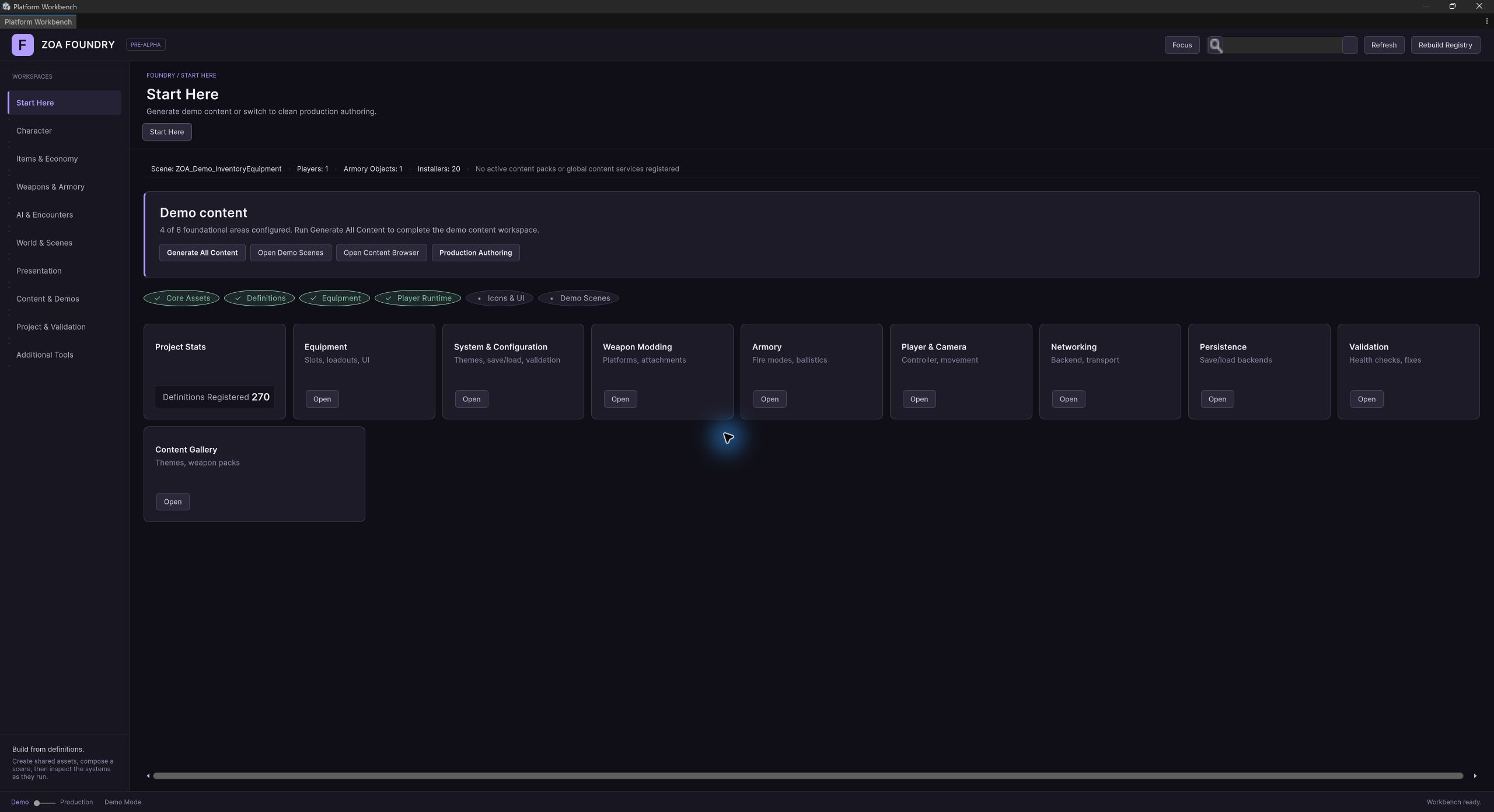
In Unity, choose Tools → ZOA → Start Here. The dashboard shows which parts of the project are configured and gives you shortcuts to content and demo scenes.
Review the configuration
Foundry uses a GameDatabase to index definitions, NetworkSettings to select networking, and SaveBackendSettings to select persistence. The initialization tools create these assets. Review the proposed project configuration, including layers, tags, and collision settings, before applying it.
Choose content for the workflow
Open the Content Browser to inspect samples and Content Sets. Import the content required by the demo you want to run. Content Sets can include themes, weapons, items, and other assets; their installed status is separate from the presence of their packages.
Generate one demo scene
Use the Content Browser’s Demo Scenes tab. Begin with Movement Sandbox to inspect the player, or Inventory & Equipment to follow item handling. Generate the selected scene, open it, and review any reported issues before entering Play mode.
Try a change of your own
Find the scene’s player prefab through its spawn request, then open Character or Items & Economy to see the definitions it uses. Make a separate variant, change a setting, and try it in Play mode. Keeping your variant separate protects it when you regenerate the demo.
Understand the player spawn
A saved gameplay scene carries a PlayerSpawnAnchor and a PlayerSpawnRequest. The request references a player prefab. At scene load, ZOAPlayerSpawnSceneInstaller asks the spawn service to instantiate that prefab at the anchor.
Use the player authoring tools to build or change the prefab. This keeps the same configured player available to several scenes. Scene-specific behavior can attach to the spawned rig through the runtime hooks.
When the scene needs attention
Check Unity’s Console and the Workbench validation results. Missing sample assets, configuration, or optional packages can leave a scene only partly configured. Resolve the reported issue and regenerate the affected content when the generator requires it.
After fixing the setup, try the affected interaction in Play mode. For an inventory change, move and equip an item. For persistence, save the game, change its state, and load the save to check what was restored.